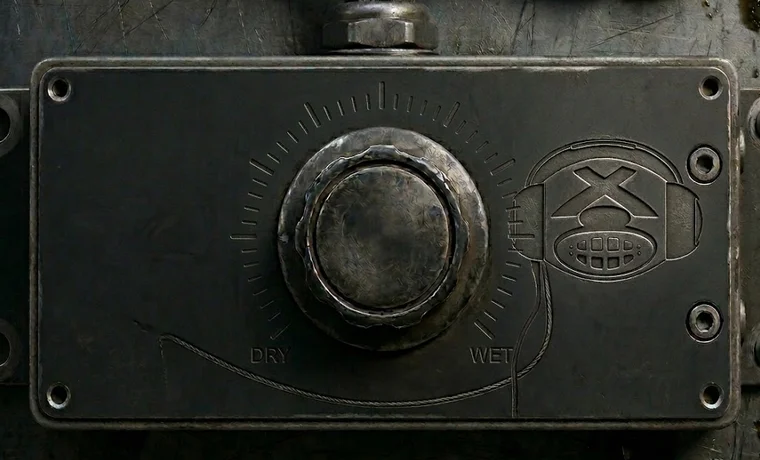
The Master and The Slaves by Monakai VST3 plugin interface for Windows
Pre-order Auto-Mixing Mastering Suite
VST Compatible LogoVST is a trademark of Steinberg Media Technologies GmbH, registered in Europe and other countries.

The Master and The Slaves by Monakai Auto-Mixing Mastering Suite VST3 Plugin

"Put a Slave on every track. Let The Master balance the mix, sculpt the EQ, and push it to industry loudness without clipping."

The Master and The Slaves by Monakai is a two-part VST3 plugin system. The Slaves normalize and control each track, then The Master analyzes the full mix, sends gain recommendations back to the Slaves, applies a genre-specific EQ profile, removes unwanted low and high frequencies with industry-standard shelves, and masters the output to maximum loudness with a lookahead brickwall limiter.

The Master and The Slaves by Monakai is a VST3 plugin for Ableton Live, FL Studio, Reaper, Cubase, Studio One and Logic Pro. Browse more best audio plugins in the Monakai Audio catalog.

Why producers choose it: Stop fighting track balances and mastering decisions. Drop The Slaves on your tracks, The Master on your bus, pick a genre, and turn the Wet/Dry knob.

Coming Soon

The Master and The Slaves by Monakai is not available for download yet. Sign up below to be notified the moment it launches.

$39$149

Get Notified

Telemetry: Monakai Audio plugins send anonymous startup and crash events to help improve stability. No personal data, no tracking — you can disable this in any plugin's settings.

Key Features

  • Two-part VST3 system: The Slaves + The Master
  • Automatic per-track normalization
  • Master analyzes mix and balances Slave track volumes
  • 10 researched genre profiles: Flat, Dubstep, House, Drum & Bass, Techno, Hardcore, Rock, Hip Hop, R&B, Pop
  • Industry-standard high and low shelves for unwanted frequencies
  • Lookahead brickwall limiter to -0.1 dBTP
  • Single Wet/Dry knob on The Master
  • Color-matched Genre dropdown
  • Monakai license and telemetry support

Tips for Using The Master and The Slaves by Monakai

  1. Insert one Slave instance on every track you want balanced.
  2. Place The Master as the last plugin on your master bus.
  3. Start with the genre closest to your production style.
  4. Use the Wet/Dry knob to blend mastered and unmastered mix.
  5. Restart your DAW if The Slaves and The Master do not connect immediately.

Need Help With The Master and The Slaves by Monakai?

If you need installation help, DAW setup assistance, or have questions about this plugin, send a message directly to the Monakai Audio support team.

Request Support