 VST is a trademark of Steinberg Media Technologies GmbH, registered in Europe and other countries.
SubSaturator by Monakai Sub Bass Saturation VST3 Plugin
"One knob to make your sub bass growl, move, and sit in the mix."
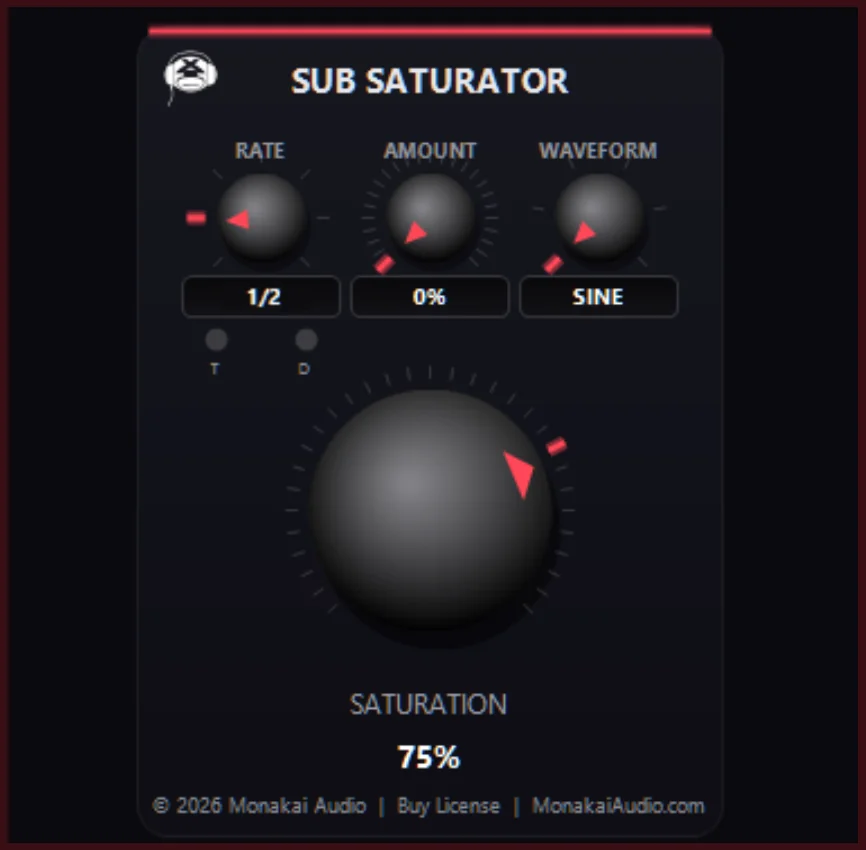
SubSaturator by Monakai is a focused sub bass saturation plugin for Windows VST3 hosts. A single main knob pushes smooth tanh saturation into the lows, while a tempo-synced LFO modulates the amount so your sub stays wide, alive and analog-flavored without losing punch or mono compatibility.
SubSaturator by Monakai is a VST3 plugin for Ableton Live, FL Studio, Reaper, Cubase, Studio One and Logic Pro. Browse more best audio plugins in the Monakai Audio catalog.
Secure checkout by Stripe — Visa, Mastercard, Amex, Discover, Google Pay, Apple Pay, and Cash App Pay. See our Refund Policy.
Key Features
- Single-knob sub bass saturation with tanh waveshaping
- Tempo-synced LFO with Rate, Amount and Waveform controls
- Six LFO shapes: sine, triangle, saw, square, sample & hold, and noise
- Normal, triplet and dotted note divisions
- Automatic makeup gain keeps level consistent
- Mono-compatible stereo processing
- MIXER_by_Monakai channel-strip look with red glow and chrome knob
- Monakai license, 7-day trial and telemetry support
Tips for Using SubSaturator by Monakai
- Place SubSaturator directly on your sub bass track or low synth.
- Start with the Saturation knob around 30% and increase until you hear the sub move.
- Use a slow sine LFO at low Amount for subtle analog-style movement.
- Switch to sample & hold for glitchy, rhythmic sub texture.
- Keep the LFO Amount moderate on sub frequencies to preserve mono compatibility.
Need Help With SubSaturator by Monakai?
If you need installation help, DAW setup assistance, or have questions about this plugin, send a message directly to the Monakai Audio support team.
Request Support