Get LOUD By Monakai
 VST is a trademark of Steinberg Media Technologies GmbH, registered in Europe and other countries.
Intelligent Loudness Maximizer — Free Lifetime License for Day Ones
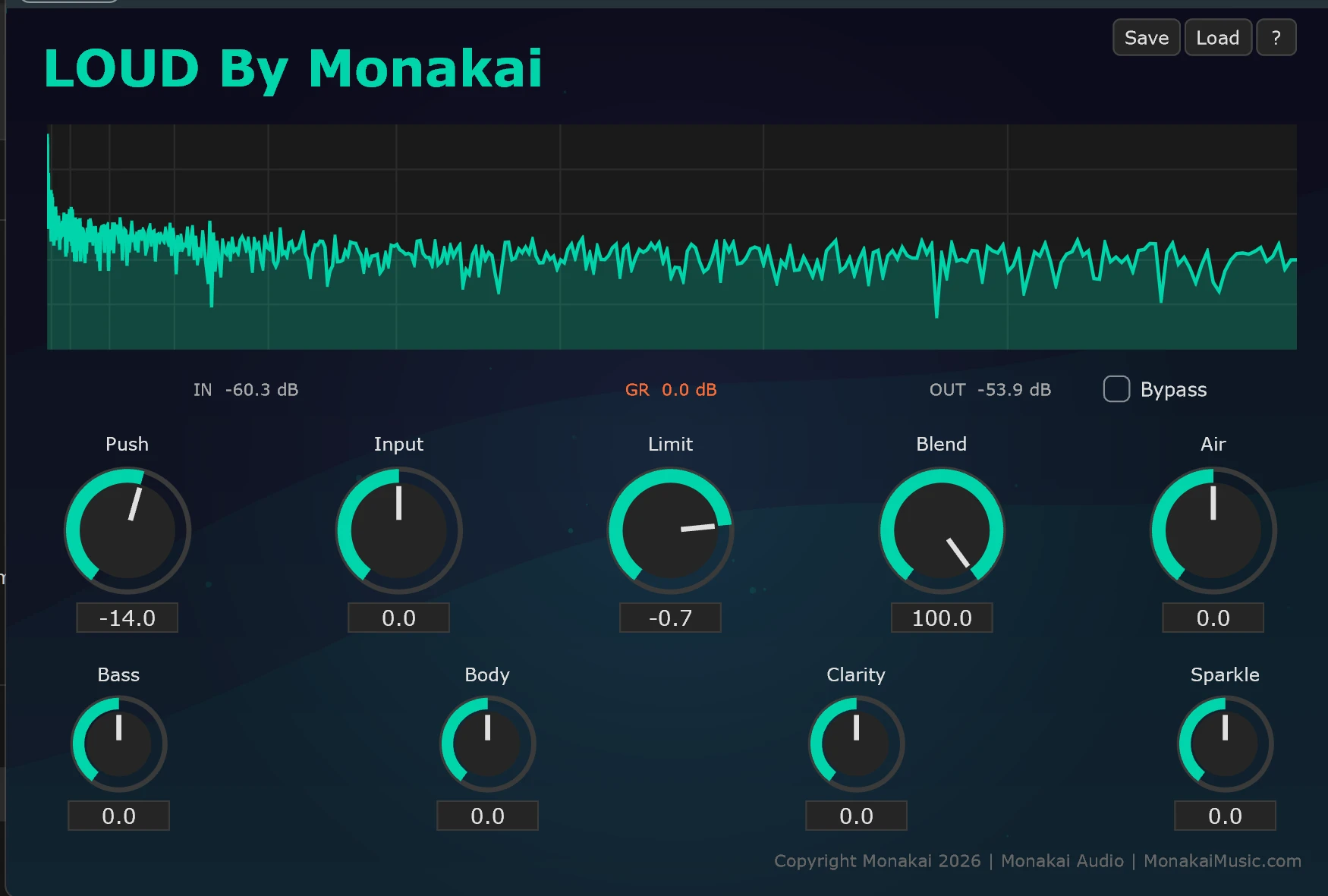
A professional-grade VST3 and Audio Unit plugin with multi-band shaping, transparent limiting, and a real-time spectrum analyzer. Designed for your master bus and individual tracks. Compatible with every major DAW on Windows and macOS (beta).
Love LOUD? Tell your friends. Spread the word.
■ Features
Why LOUD Stands Out
Built from 25+ years of studio experience, LOUD delivers professional results without the learning curve.
Adaptive Loudness Maximization
Intelligent gain staging that adapts to your source material, maximizing perceived loudness while preserving transients and musicality.
5-Band Tonal Shaping
Sculpt your sound with dedicated controls for Bass, Body, Clarity, Air, and Sparkle — each tuned for musical, transparent results.
Lookahead Brickwall Limiter
True peak limiting with lookahead processing prevents inter-sample peaks and keeps your masters broadcast-safe.
Real-Time Spectrum Analyzer
Visualize your frequency content in real time with a smooth, responsive analyzer that helps you make informed decisions.
Mix Control
Blend processed and dry signals for parallel compression effects. Perfect for adding punch without over-processing.
VST3 + Standalone
Use LOUD inside any VST3-compatible DAW, or run it standalone for quick file processing and loudness checks.
■ The Complete Package
Everything You Need
Your download includes the plugin, standalone app, license, documentation, and full setup instructions.
LOUD.vst3
VST3 plugin for any compatible DAW
LOUD.exe
Standalone application — no DAW required
Lifetime Day One License
Your personal, royalty-free license document
Thank You Letter
Personal note from the Monakai Audio team
Complete Setup Guide
Step-by-step install for every major DAW
VST3 & JUCE Licenses
Full attribution and SDK licensing info
■ Day One Gift
Share the Launch & Unlock Far From Erf
If you're loving LOUD, share the provided link and Day One offer on 3 social media platforms and create your free Monakai Audio account. I'll unlock Far From Erf — my $99 4-operator FM synthesizer — as a thank-you for spreading the word.
Create Your Account
Sign up free and get your unique share link.
Social Shares
Post on X, Facebook, Reddit, Instagram, TikTok, YouTube, or producer communities.
Free Synth Unlocked
Far From Erf FM synth with clarity, deep bass, and out-of-this-world soundscapes is yours forever.
+ Standalone
Use Far From Erf in your DAW or run it standalone on Windows and macOS.
■ Day One Gift
Claim Your Free Lifetime Copy Now
Create a free Monakai Audio account and download LOUD By Monakai instantly. No credit card required. No strings attached. Just great sound — and my thanks for being a Day One.
Windows Security Notice
Windows may show a SmartScreen warning — this is normal for independent software. Run UNBLOCK-ALL.bat first, then click More info → Run anyway. Full guide →
Tell your friends — spread the word about Monakai Audio